Accessibility in Plone 5

Starting with the very first version, Plone has been a leader in accessibility, allowing people with visual or motor impairments to use and navigate Plone sites. As I said in my previous post 6 Reasons Plone is Great for Higher Ed, Plone was the first CMS to be compliant with the W3C’s WAI-AA and the U.S. government’s Section 508 standards.
Before I published that post, I asked Paul Roeland (Chair of the Plone Foundation Board of Directors) to fact check the Accessibility section, since he has been a champion of Plone’s accessibility efforts for years. He replied that it was OK (“although a bit underselling it”) for Plone 4. However for Plone 5 he informed me that the situation has improved dramatically. Here are the accessibility features that are coming soon in the Plone 5 release:
- Support for WCAG 2.0 (level AA), WAI-ARIA, and even more exciting, ATAG 2.0 which is aimed at content creators, not just visitors of a website. Full support of all three is the goal. Some WCAG 2.0 guidelines are somewhat subjective, but we are doing our best to achieve full support.
- All new themes, widgets, and editors are strictly checked against those guidelines. That includes, for example, checks on contrast, color blindness, and widget and navigation support for the mobility-challenged and people using screen readers.
- The new version of Plone’s WYSIWYG editor has much improved accessibility for other-abled content editors, and it is also easy to include add-ons that will ensure the content in your site will remain accessible over time.
Content accessibility is technically outside the responsibility of Plone – it needs to be done by the organization’s content editors – but site administrators will have the option to configure the site to strictly enforce accessibility guidelines such as making sure all images have an “alt” tag. Plus language helper tools are available to help editors create clear content, which is also a guideline in WCAG.
In summary, while some guidelines are subjective and some can only be guaranteed by the content editors of the site, Plone will give you the best tools available to make, and more importantly keep, your site accessible. For both visitors and staff.
If you are interested in ensuring that your website is accessible, here are some tools that can help:
- The WAVE extension for Chrome which allows you to evaluate web content for accessibility issues from your browser.
- The A11y Command-line Tools provide web accessibility audits powered by the Chrome Accessibility Developer Tools.
In the end, however, no automated tool is a substitute for working with other-abled developers and users. And keep in mind that web accessibility is evolving – blind users use smartphones too! So staying at the forefront of accessibility is more about having it fully integrated in your thought process than about simply ticking boxes. Plone has taken that approach, and the result is that Plone 5 powered websites will offer a better experience for every user, regardless of abilities.
Plone 5 is currently in beta, we’re expecting the first release soon – and of course accessibility isn’t the only thing that has gotten better. The UI has gotten a major overhaul, theming is easier, the WYSIWYG editor has been upgraded in other ways, JavaScript integration and development is vastly improved, and it’s faster than Plone 4. We’re pretty excited about it!
Most Seriously Amazing
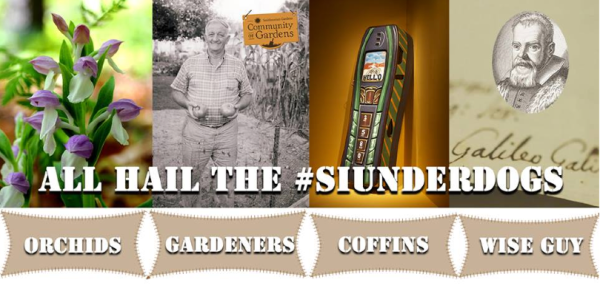
Another one of our websites is in the running for a seriously amazing award. Literally. The North American Orchid Conservation Center and their Go Orchids site has been nominated to compete in the Smithsonian Summer Showdown, where the public votes on the “most seriously amazing” thing at the Smithsonian – and they have made it to Round 2! Click here if you’d like to add your vote to help them make it to the final round. You can vote once a day, now through Tuesday.
And hey, if you just can’t resist voting for the earth-sized Event Horizon Telescope instead, I won’t hold it against you. It’s all amazing stuff. But my heart lies with the exotic plants.
Go Orchids!


 Jazkarta Blog