New Site Launched: The Mountaineers
For over a year a Jazkarta team consisting of David Glick, Carlos de la Guardia, Cris Ewing, and me has been working on the development of a new website for The Mountaineers, the premier outdoor education non-profit in the Pacific Northwest. We are very excited to announce that it just launched today!
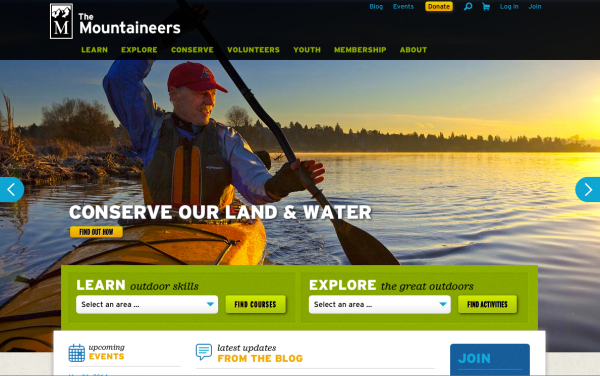
The Mountaineers has over 10,000 members and over a thousand volunteers leading hundreds of activities and classes in hiking, backpacking, climbing, skiing, sea kayaking and much more. Their old website had become dated and no fun to use, with convoluted processes and an ad hoc structure, so the organization embarked on a major project to create something better. The goal was a beautiful, modern, and engaging website that simplified as many things as possible – making it easy for leaders to create new activities, for volunteers to volunteer, for members to sign up and donate, and for everyone to find what they’re looking for in The Mountaineers’ vast portfolio of outdoor knowledge.
After kicking the tires on lots of systems, The Mountaineers settled on the technology for their new website: a partnership between Plone, the leading open source enterprise CMS, and Salesforce.com, the leading software-as-a-service CRM. Plone+Salesforce is a dynamite combination for non-profits because of extensive integration possibilities and deep license discounts. For The Mountaineers, it meant that their oceans of data about members, courses, activities, rosters, routes and places, committees, etc. could be seemlessly synchronized between these two best-of-breed systems.
Implementation of the site was a partnership as well – Jazkarta doing the Plone front end and Percolator Consulting, engagement strategists and CRM experts, doing the Salesforce backend. Darrell Houle provided user experience design for the many complex course and activity creation, scheduling, search, and registration processes, and Neal Maher turned Darrell’s wireframes into a gorgeous graphic design.
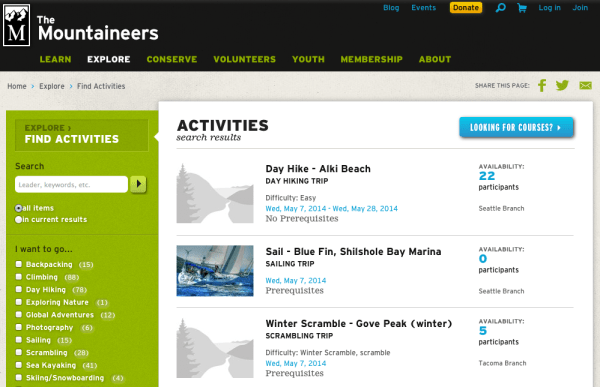
Fourteen months and 673 github tickets later, the result is a content-rich site with curation and management shared by a community of hundreds of collaborators. The functionality visible on any given page is determined by the role (member, leader, staff) of the person who is viewing it. A new Plone add-on, collective.workspace, provides roster functionality for courses, activities, and committees, allowing each participant’s role, registration status, and other information to be managed. A lightweight shopping cart integrated with Stripe payment processing allows users to easily pay for memberships and courses, or make a donation. Custom content types provide extensive metadata that enables as many kinds of faceted searches and dynamic listings as staff can dream up – like the activity faceted search shown below.
All of this is the result of an incredible amount of work by a lot people. Thanks to the Jazkarta and Percolator team members and the many Mountaineers staff and volunteers who tested, made tickets, and tested again!
What Makes a Good CMS?
We at Jazkarta have worked on CMS-powered websites for many years. We’ve built a lot of sites and worked with a lot of customers and we think we know what makes a good CMS for the kinds of projects we do – substantial websites with lots of members and lots of content. Our go-to CMS is Plone – we’ve been working with it since 2003! – but we’ve also tried out Django CMS, Mezzanine, and have managed our share of WordPress blogs.
As part of our 3 day rural sprint, we decided to pool our experiences and write down our thoughts about what makes a good CMS. What features are valuable and what features can be skipped? Because Plone is so feature-rich and we know it so well, it made sense to frame our ideas in terms of those features.
Our group consisted of Nate Aune, Carlos de la Guardia, Alec Mitchell, Cris Ewing, David Glick, Chris Rossi, and Sally Kleinfeldt. First we brainstormed lists of features in the 3 categories below. Once we had the lists, each person got 12 red sticky dots to place on any item to indicate how important they thought that item was. We could place all 12 dots on one item, 1 dot each on 12 items, or any combination thereof. (If these red dots look familiar, you may remember this process was used extensively at the Plone Strategic Summit in 2008.)
Here are our lists, annotated with asterisks to represent the red dots. We hope this information will be useful to anyone writing a new CMS or extending an existing one.
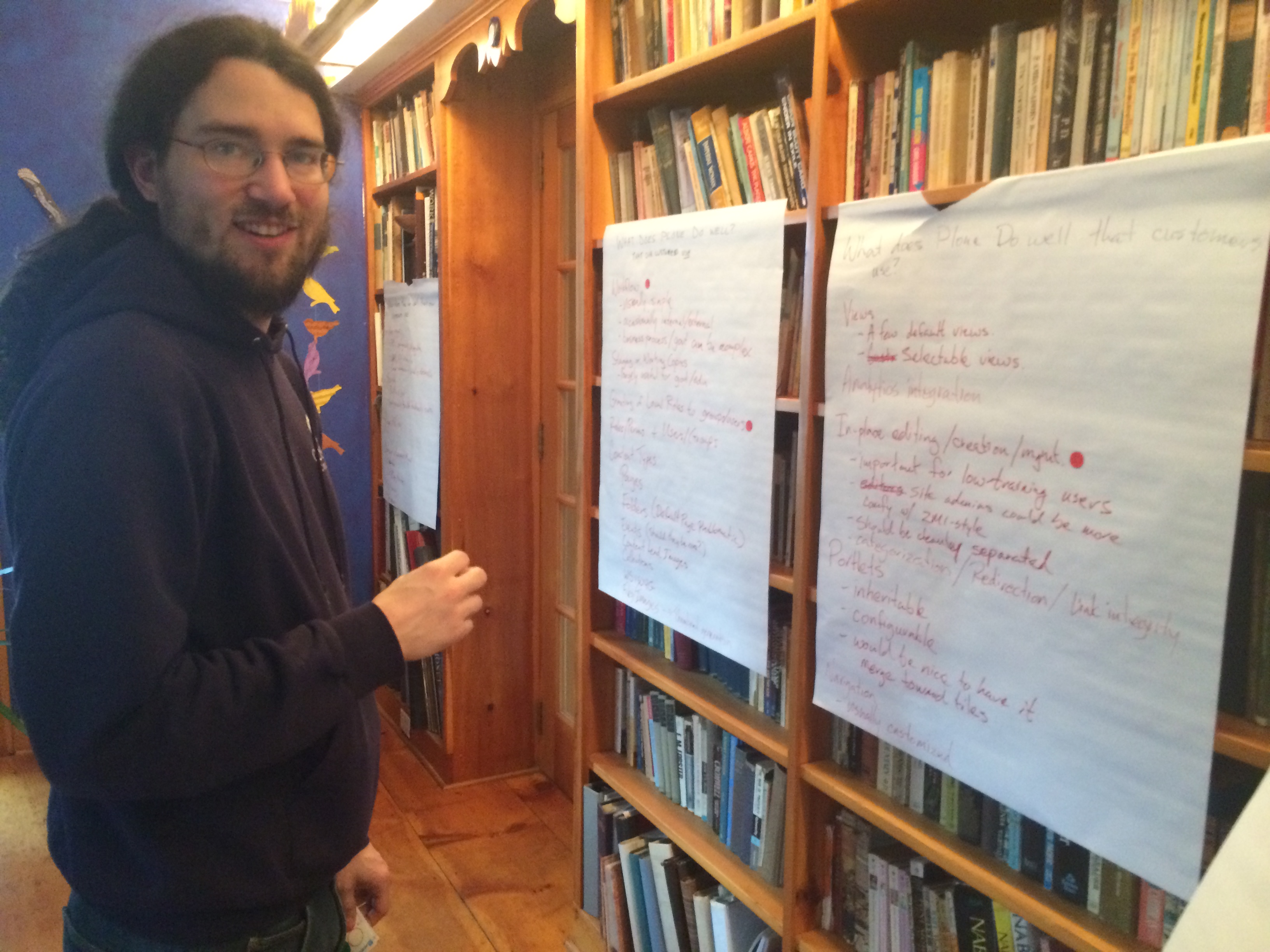
David contemplates his next red dot placement
What does Plone do well that our customers use?
- User Management **
- Pluggable authentication system, configurable
- LDAP, SSO integration
- Easier integration with social is desirable ***
- Search **
- Built-in is good
- Configurable to different back-ends is vital
- Plugins/Add-ons ***
- Content Placement/Management **
- Orderable *
- Cut/Copy/Paste *
- Versioning *
- Staging
- Workflow ****
- Usually simple
- Occasionally internal/external
- Business process/government can be complex
- Staging or Working Copies *
- Especially useful for government or education customers
- Granting of local (to a portion of the site) roles/permissions to groups/users ****
- Roles/Permissions and Users/Groups
- Content Types **
- Pages *
- Folders (default page problematic) *
- Events (but should they be a core feature?)
- Content Lead Images *
- Collections **
- WYSIWYG **
- Files/Images (thumbnail generation, basic image editing) **
- Views
- A few default views *
- Selectable views
- Analytics integration
- In-place editing/creation/management *****
- Important for users with little training
- Site admins could be comfortable with separate backend-style configuration/editing
- Should be cleanly separated for ease of theming ***
- Categorization/Redirection/Link integrity
- Portlets
- Inherited down the tree of content ***
- Configurable
- Would be nice to have it merge toward tiles
- Navigation
- Usually customized
What does Plone do well that our customers do not use?
- Related items
- Complex workflow
- Internationalization (i18n)/Multi-lingual (because we work primarily in the U.S.)
- Content Rules **
- Underutilized
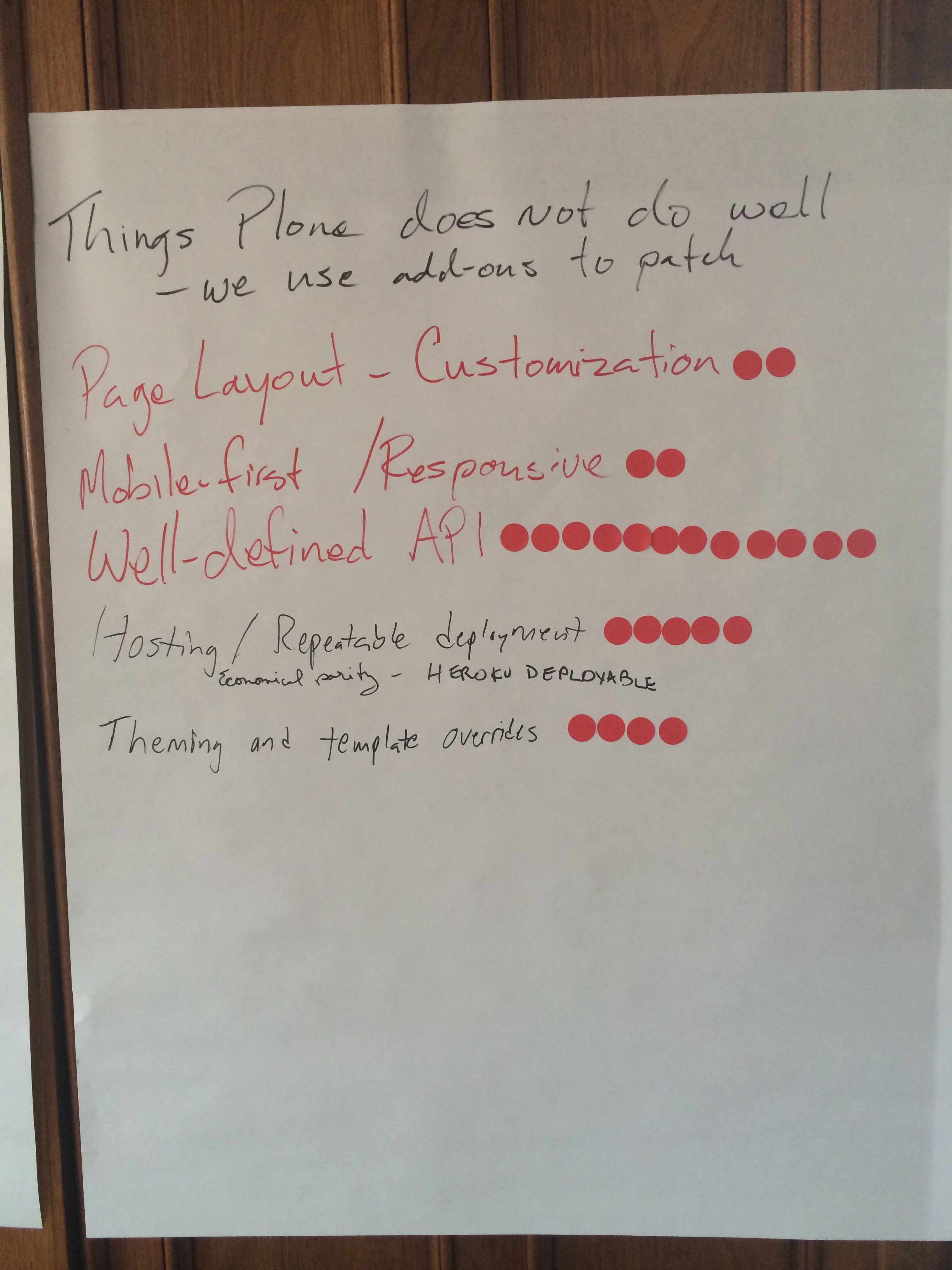
Well-defined API was the clear winner
What does Plone not do well?
For this category we always have to install an add-on or fix something.
- Tagging/Categorization especially management of tags
- Default Pages
- Previewing changes before save
- Default folder/collection listings are unattractive and not easily configurable *
- Form builder *** (PloneFormGen is reasonable)
- Faceted search/navigation
- Videos/embedded media ***
- Geo-location/Mapping
- Page layout customization **
- Mobile-first/Responsive **
- Well-defined API ************
- Hosting/Repeatable deployment *****
- Theming and template overrides ****
What we need
At the end of this exercise, we totaled up all the red dots to see which features we had voted most important. If there were red dots on sub-items, they were rolled up to the parent item. Here’s the list – the number of red dots the item received is indicated in parentheses. We added a few essential things that didn’t get any votes but that a serious CMS can’t do without.
- (12) Well-defined API
- (11) Content Types
- (8) In-place Editing
- (5) Content Placement/Management
- (5) Hosting
- (5) Search
- (5) User Management
- (4) Theming/Template Overrides
- (4) Workflow
- (4) Local Roles/Permission
- (3) Form Building
- (3) Video/Embedding
- (3) Inheritable Portlets
- (3) Plugins
- (2) Content Rules
- (2) Mobile First/Responsive
- (2) Page Layout Customization
- (2) Views – Attractive Defaults
- (1) Staging/Working Copies
- Navigation
- i18n
- Tagging/Categorization
The clear winner in this exercise was “well-defined API”, which is not a big surprise given that a bunch of developers made the list! Although our customers never ask for this, it is essential for doing the type of highly customized websites that they demand.


 Jazkarta Blog